TriangleMesh
A surface made of triangles: closed (a solid, with an inside) or open (a set of panels, such
as a first wall with gaps). TriangleMesh.read loads STL, OBJ and NPZ files, and any format
meshio reads, so a wall exported from CAD can be used directly.
The queries are exact for the triangles: a grid of cells lists the triangles that overlap each cell, a compiled kernel walks every segment through its cells (Möller–Trumbore), and a point is inside when the nearest node of its cell, whose state is known, is inside and the short segment between them crosses the surface an even number of times.
import osimport tempfile
import numpy as np
from simgeometry import Sphere, TriangleMesh
folder = tempfile.mkdtemp()path = Sphere((0.0, 0.0, 0.0), 1.0).export(    os.path.join(folder, "ball.stl"), resolution=24)ball = TriangleMesh.read(path)print("closed:", ball.closed, "faces:", ball.n_faces)print("volume:", round(ball.volume(), 4), "of the sphere:", round(4 * np.pi / 3, 4))print("inside:", ball.contains((0.0, 0.0, 0.0)), ball.contains((0.0, 0.0, 1.1)))
closed: True faces: 3980volume: 4.1662 of the sphere: 4.1888inside: True FalsePanels and first hits
Section titled “Panels and first hits”Two square panels form an open mesh: no inside, but segments stop on it. first_hit takes
(..., 3) arrays and returns SurfaceHits: whether and where each segment hits, the distance,
the triangle and a normal that faces the segment.
vertices = np.array( [[x, y, z] for z in (0.0, 1.0) for (x, y) in ((-1, -1), (1, -1), (1, 1), (-1, 1))], dtype=float,)faces = np.array([[0, 1, 2], [0, 2, 3], [4, 5, 6], [4, 6, 7]])panels = TriangleMesh(vertices, faces)start = np.array([[0.2, 0.1, -1.0], [0.5, -0.5, 0.5], [3.0, 0.0, 0.5]])end = start + [[0.0, 0.0, 3.0], [0.0, 0.0, 3.0], [0.0, 0.0, 3.0]]hits = panels.first_hit(start, end)print("closed:", panels.closed)print("hit:", hits.hit, "distance:", hits.distance, "face:", hits.face)print("normals:", hits.normal.tolist())closed: Falsehit: [ True True False] distance: [1. 0.5 nan] face: [ 0 2 -1]normals: [[-0.0, -0.0, -1.0], [-0.0, -0.0, -1.0], [nan, nan, nan]]import matplotlib.pyplot as plt
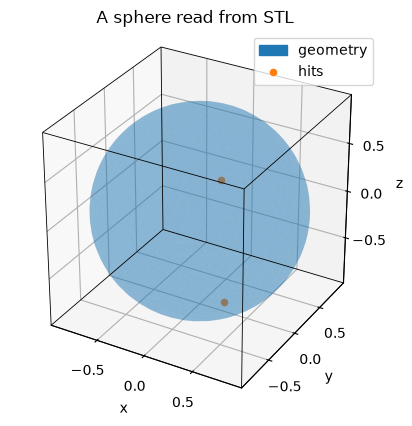
ax = ball.show_3d( display=False, opacity=0.3, points={"hits": {"points": ball.first_hit(start, end).point.T}},)ax.set_title("A sphere read from STL")plt.show()